
Owners
Stations: more than one client at a time
Set how many clients you can see at the same time. A time stays open until every station is taken.
-
1
Set your stations
Stations are the beds, chairs or rooms where you see clients. In Studio settings, "Hours & booking" tab, type what you call them under "What you call them" (for example Beds; leave it blank for Stations), set how many clients you can see at once, for example 3, and save. Clients can then book the same time until all 3 are taken; then that time no longer shows.

Tap to enlarge 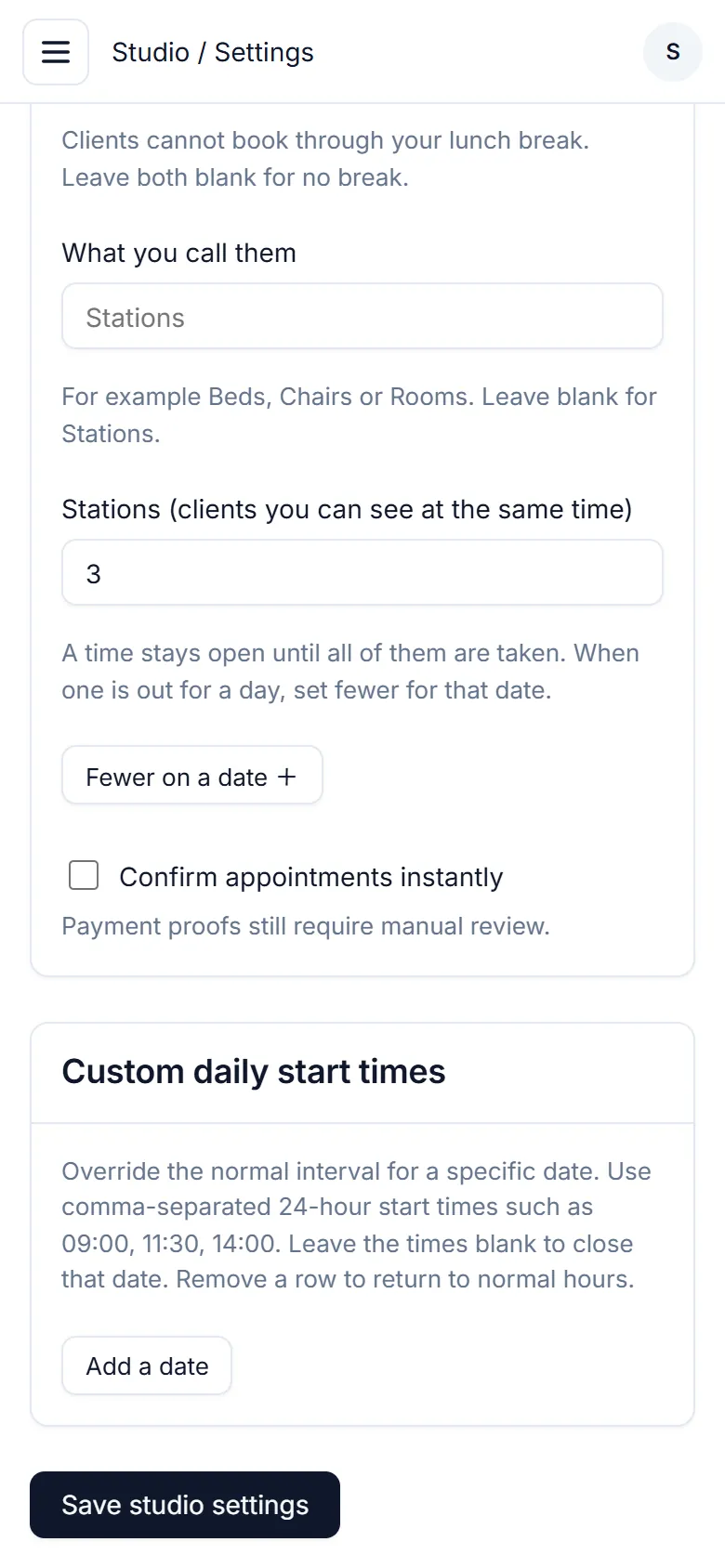
Tap to enlarge -
2
Fewer on one day
When one is out for a day, choose "Fewer on a date", pick the date and how many are open, and save. Only that date changes. Bookings already made are kept.
Tap to enlarge Tap to enlarge