
Payment methods
List every way clients can pay you (GCash, Maya, MariBank, cash…), each with its own logo and instructions.
-
1
Add a payment method
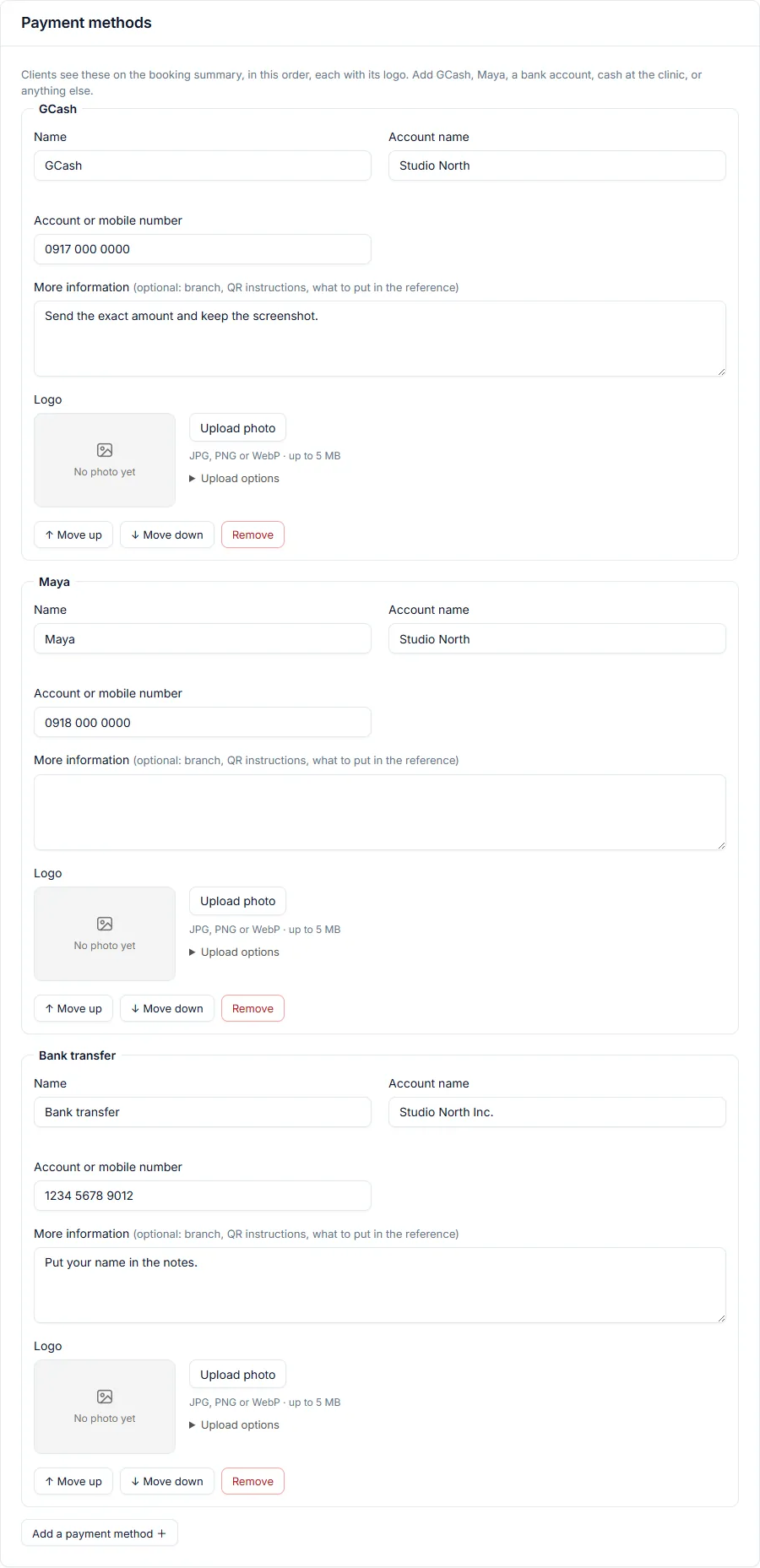
Studio settings, Payments tab: choose "Add a payment method". Fill in its name (for example GCash, Maya or MariBank), the account name, the account or mobile number, and any extra instructions such as "Send the exact amount and keep the screenshot". Upload its logo with "Upload photo". Add as many as you need.
Tap to enlarge -
2
Order, change or remove
Use "Move up" and "Move down" to put them in the order you want clients to see. "Remove" takes one off. Press "Save studio settings" to keep your changes.
-
3
What clients see
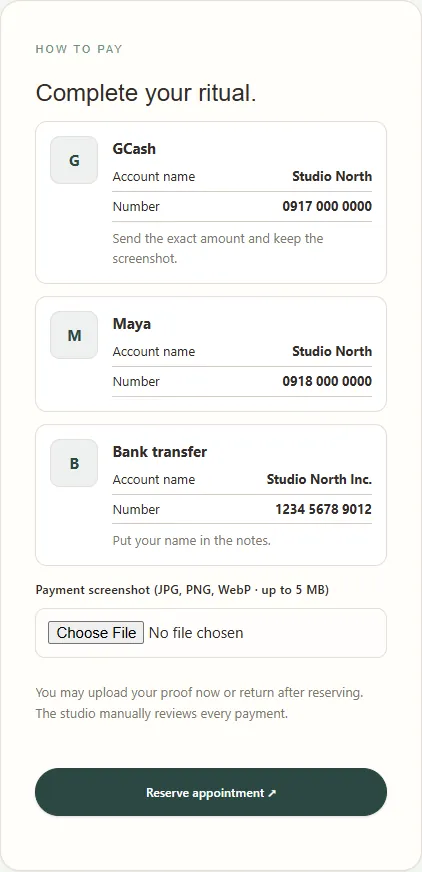
When clients book, the "How to pay" box shows every payment method with its logo, account name, number and instructions. Clients upload their payment screenshot there, and you confirm it under Payments.
Tap to enlarge