
Owners
Services, packages and products: short descriptions and aftercare
Keep the menu tidy with a one-line description on each card, the full details on its own page, and aftercare per service.
-
1
Short description for the card
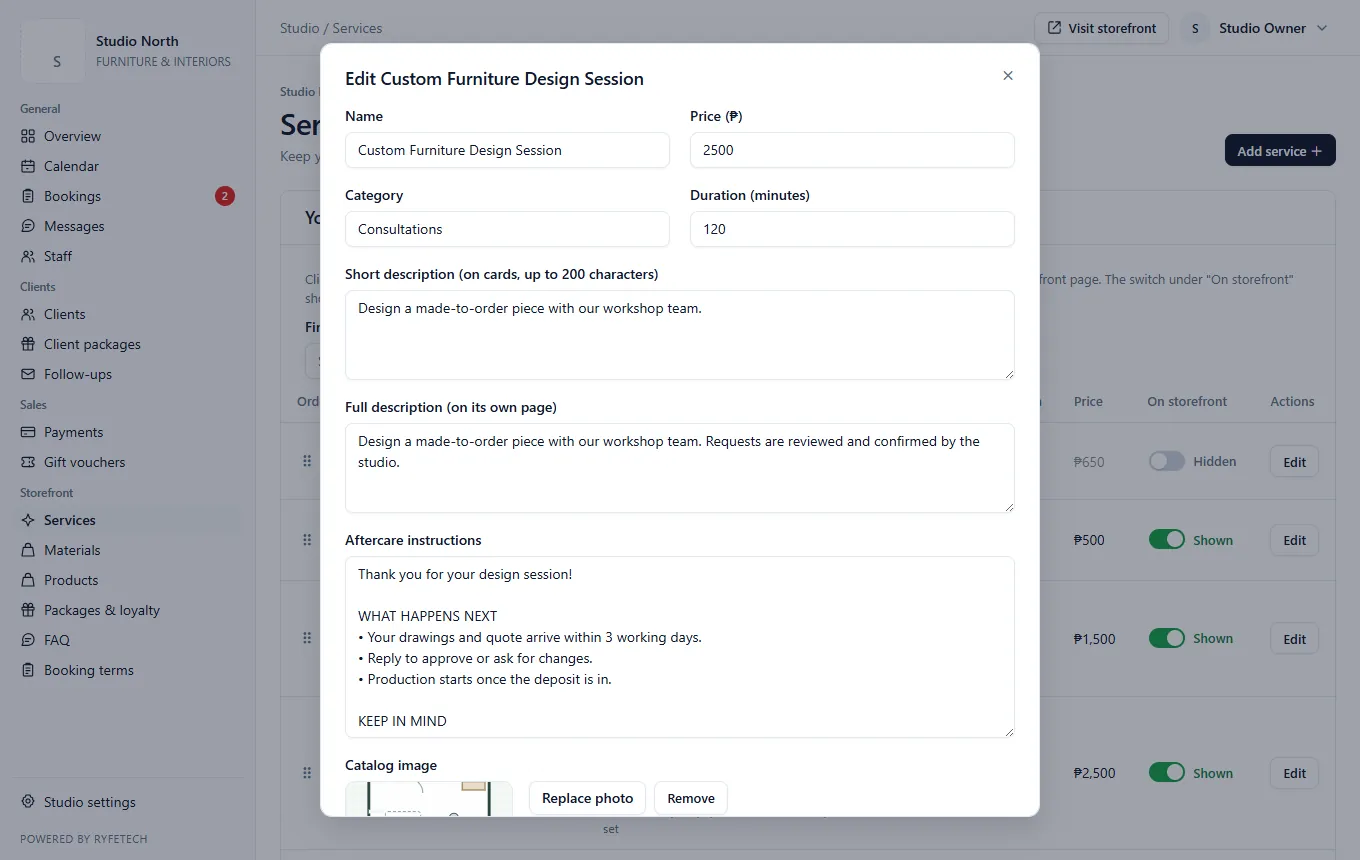
Edit a service, package or product. "Short description" (up to 200 characters) is what clients see on the menu cards. "Full description" appears on its own page. If you leave the short one empty, the card cuts the full text at a word.
Tap to enlarge -
2
Aftercare per service
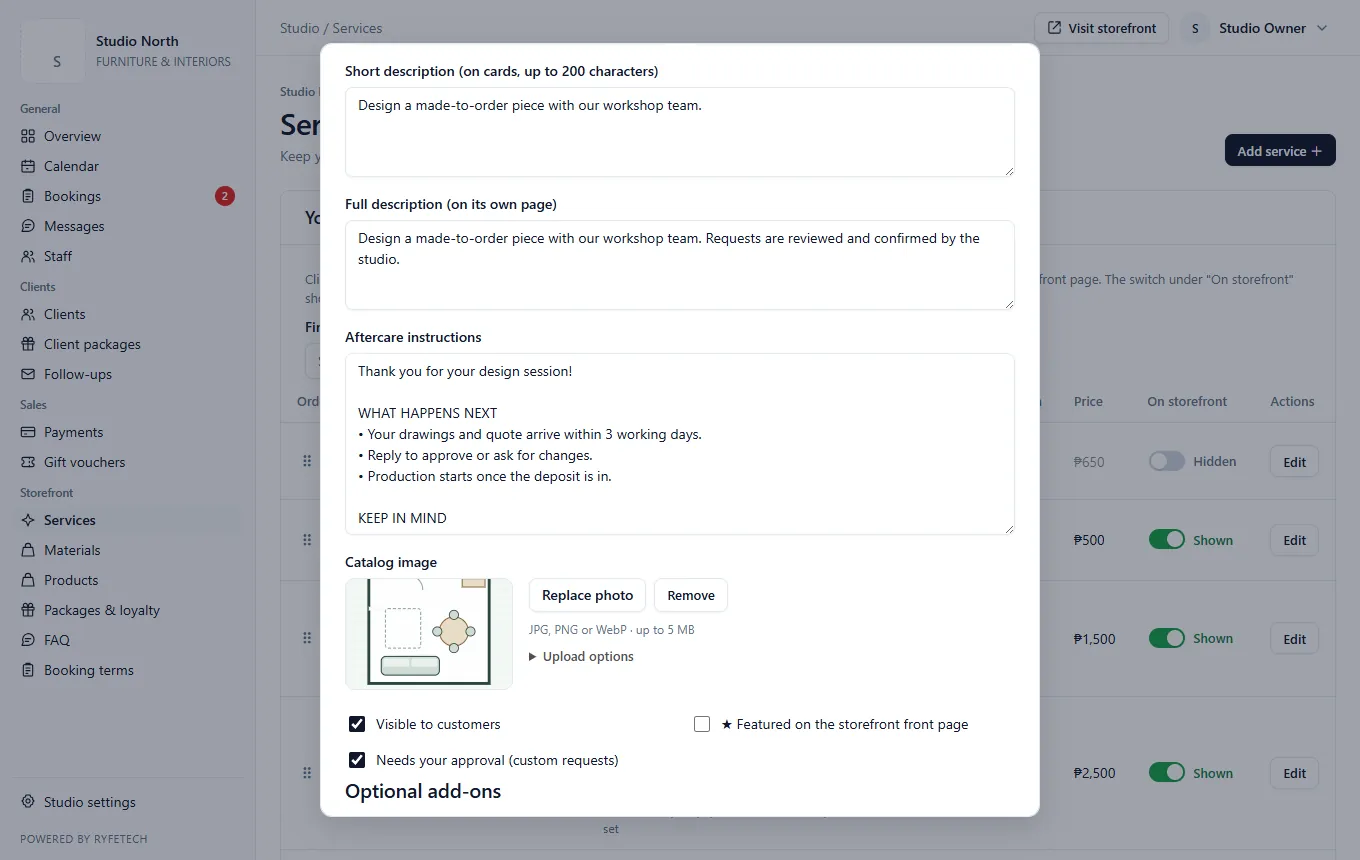
With follow-ups on, each service has "Aftercare instructions". This text is emailed to the client after their visit.
Tap to enlarge -
3
Package pages
Each package opens its own page with the full text, the privileges laid out as a list, what is included, the visits and the price.

Tap to enlarge -
4
Package cards
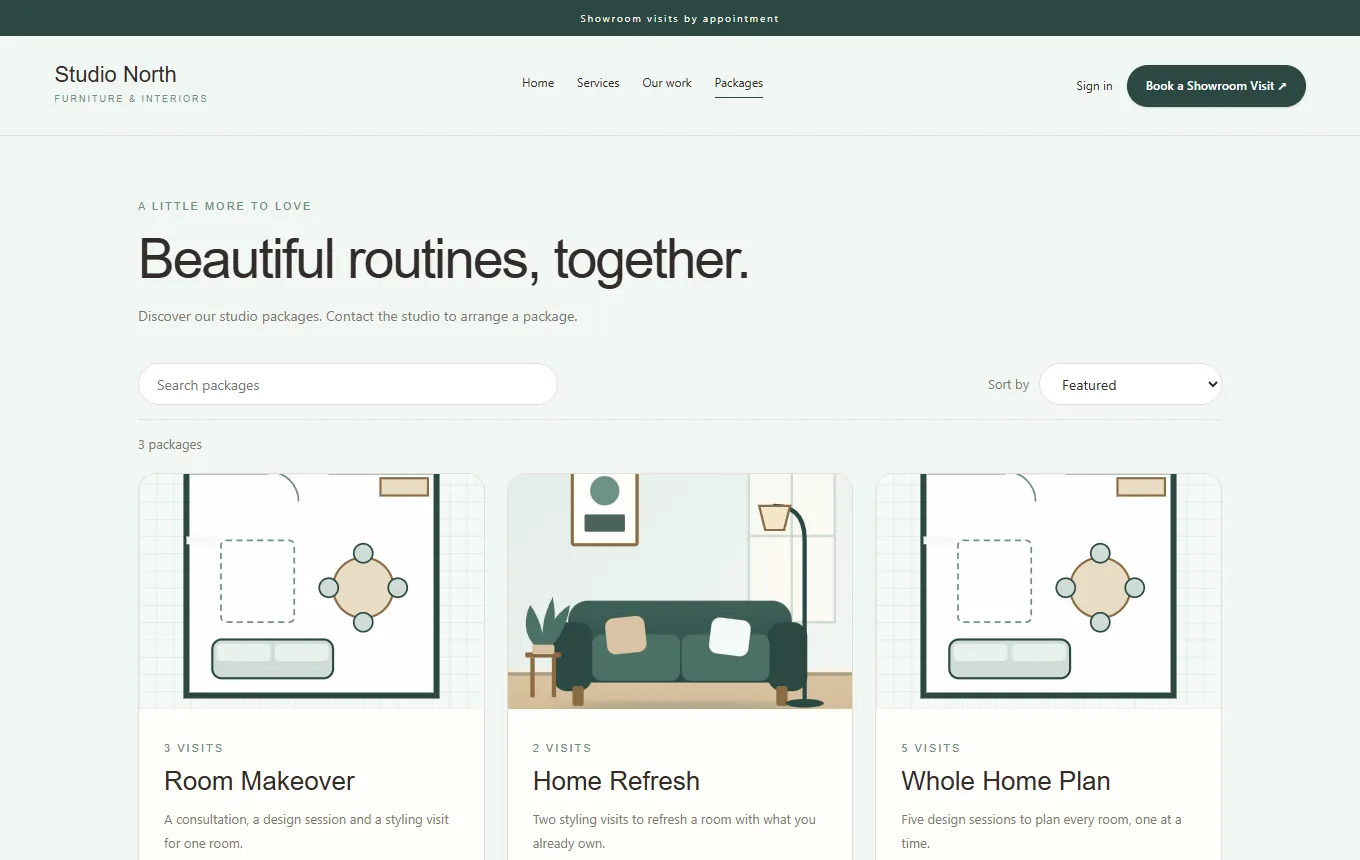
The Packages page shows the short description on each card, so the page stays clean.
Tap to enlarge