
Owners and staff
Getting around the dashboard
The grouped menu, your account menu, Studio settings tabs, test bookings and the phone layout.
-
1
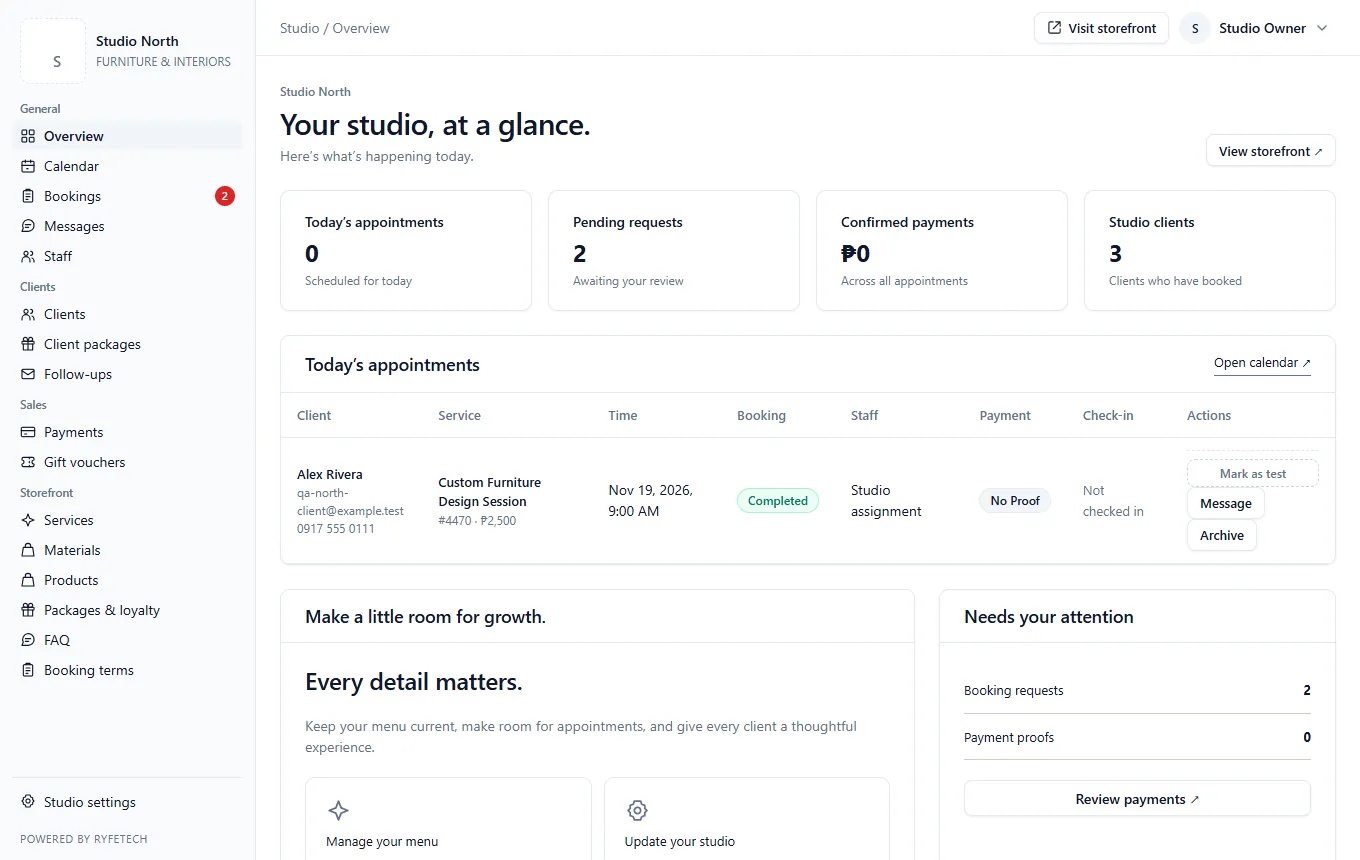
The menu
The sidebar is grouped: General, Clients, Sales and Storefront. Studio settings sits at the bottom.
Tap to enlarge -
2
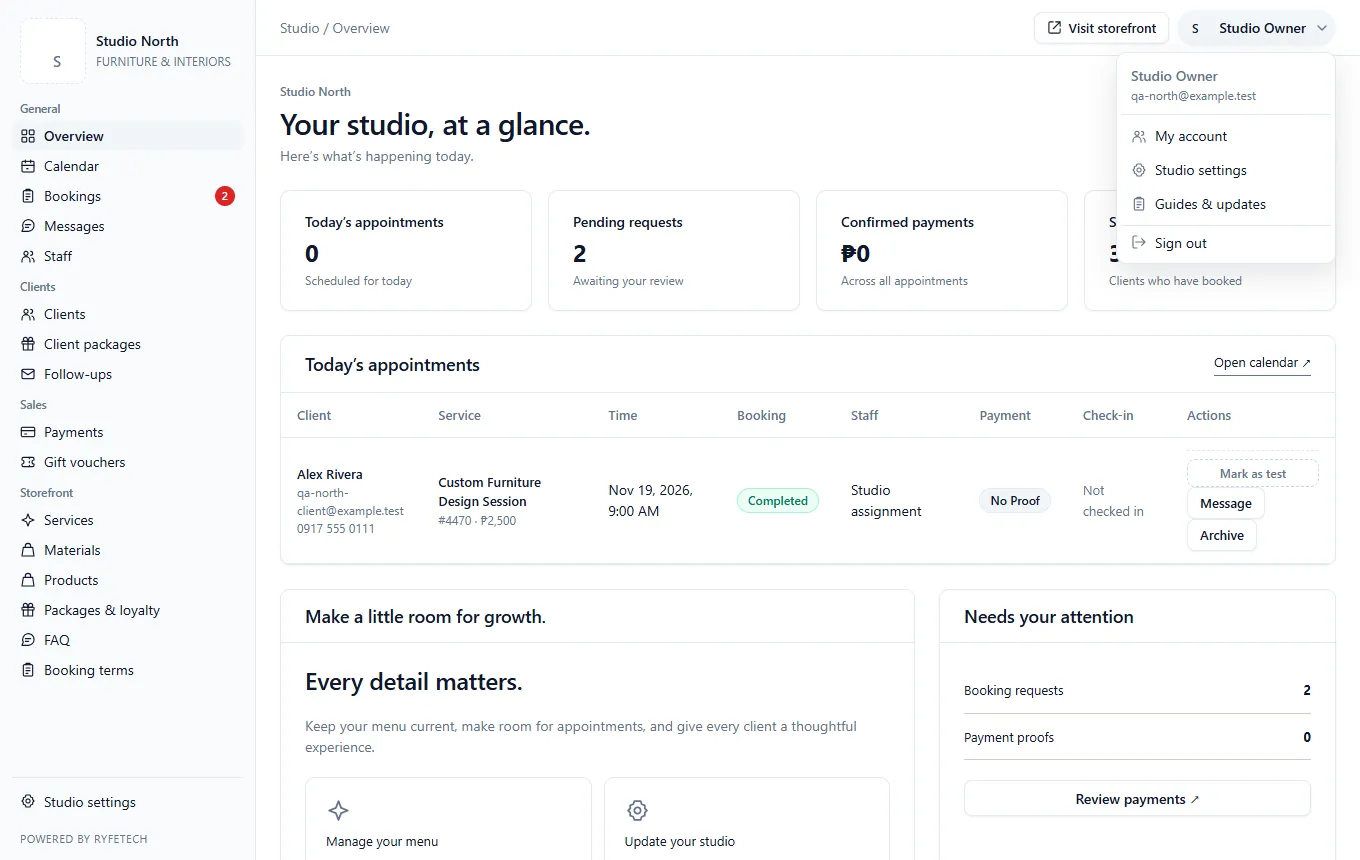
Your account
Your name at the top right opens My account, Studio settings and Sign out. "Visit storefront" opens your public page.
Tap to enlarge -
3
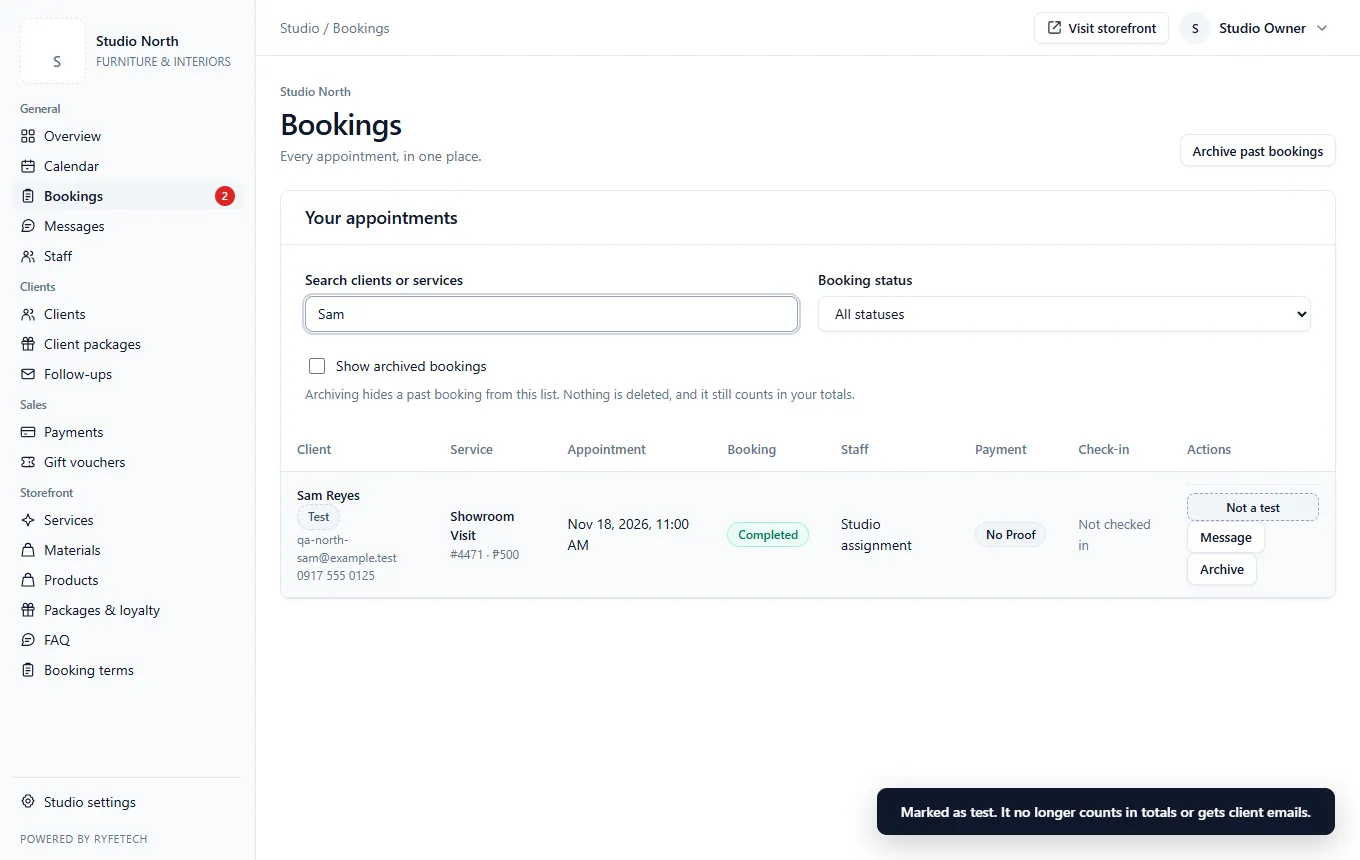
Mark test bookings
In Bookings, "Mark as test" labels a booking as test. It stays in your records but leaves the totals (pending, clients, revenue, payments to review) and never gets client emails. "Not a test" counts it again.
Tap to enlarge -
4
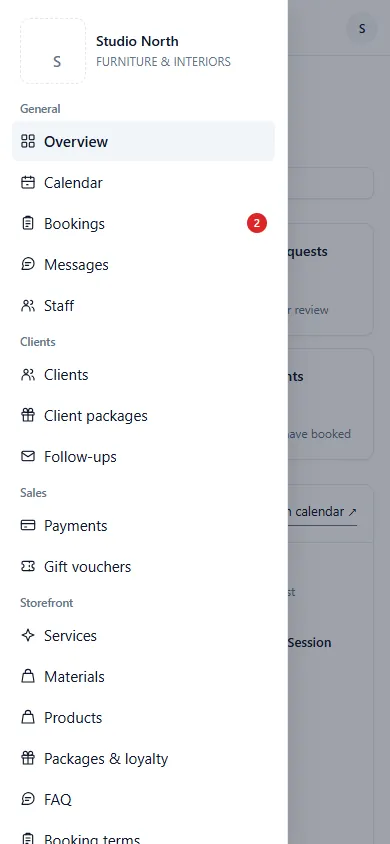
On your phone
The menu button at the top left slides the full menu in. Your initial at the top right opens your account menu.
Tap to enlarge